


Description
Download Findoo Browser 2019 – Free, Secure & Fast Windows Browser
Overview of Findoo Browser 2019
Findoo Browser 2019 is a free web browsing solution designed exclusively for the Windows platform. Launched on Softonic in November 2018, this browser aims to combine speed, security, and a clean user interface into a single, lightweight package. While the development team behind Findoo has kept the roadmap relatively private, the core promise remains clear: a browsing experience that feels familiar to users of mainstream browsers yet offers a fresh set of tools for power users and casual surfers alike.
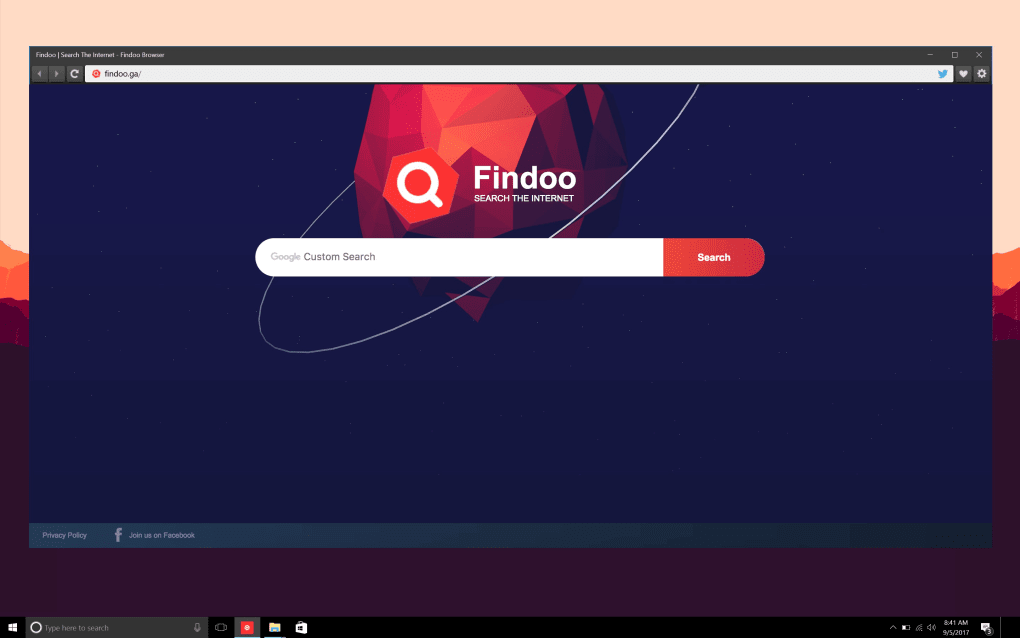
The interface adopts a minimalist design philosophy, eliminating clutter and focusing on essential navigation controls. Tabs are managed intuitively, and the address bar doubles as a search field, supporting major search engines out of the box. Security is addressed through built‑in phishing and malware protection, while privacy settings give users granular control over cookies, tracking scripts, and history storage. Although the OS requirements are not explicitly listed, the application runs smoothly on Windows 7, 8, 8.1, and 10, making it a viable alternative for legacy machines that struggle with resource‑heavy browsers.
One of the standout aspects of Findoo Browser 2019 is its commitment to regular updates. The development team pushes patches and feature enhancements via an automatic update system that operates quietly in the background, ensuring users stay protected without manual intervention. Moreover, the browser supports extensions through a curated marketplace, allowing you to expand functionality with ad blockers, VPN integrations, and productivity tools.
In short, Findoo Browser 2019 delivers a balanced blend of performance, security, and customization, all while staying free and lightweight. Whether you are a student looking for a reliable browser for research, a professional needing a secure portal for work, or simply someone who enjoys trying new software, Findoo offers a compelling reason to give it a try.
Key Features of Findoo Browser 2019
- Fast page rendering engine optimized for low‑memory Windows PCs.
- Built‑in anti‑phishing and anti‑malware filters for secure browsing.
- Customizable privacy controls: selective cookie blocking, tracker prevention, and incognito mode.
- Automatic background updates to keep the browser current without user effort.
- Tab grouping and vertical tab management for efficient multitasking.
- Support for extensions via the Findoo Marketplace (ad blockers, VPNs, productivity tools).
- Lightweight UI with a single‑click access toolbar for bookmarks, history, and downloads.
- Integrated search bar that works with Google, Bing, DuckDuckGo, and custom engines.
- Download manager with pause/resume capabilities and speed throttling.
- Multi‑language support (currently English only, with plans for future localization).
Installation & Usage Instructions
Step‑by‑Step Installation Guide
Downloading and installing Findoo Browser 2019 is straightforward. Follow these steps to get the browser up and running on your Windows computer:
- Download the installer: Visit the official Findoo website or a trusted software portal such as Softonic. Click the “Download Free” button to retrieve the
.exeinstaller. - Verify the file: For added security, check the SHA‑256 hash (provided on the download page) against the file you downloaded. This ensures the installer has not been tampered with.
- Run the installer: Double‑click the
.exefile. Windows may prompt you with a User Account Control (UAC) dialog; click “Yes” to allow the installation. - Choose installation options: The wizard offers a default installation path (usually
C:\Program Files\Findoo Browser) and the option to create a desktop shortcut. You can also select whether the browser should be set as the default system browser. - Complete the installation: Click “Install” and wait a few seconds while the files are copied. Once finished, you’ll see a confirmation screen with a “Launch Findoo Browser” button.
- First‑run configuration: On the first launch, the browser walks you through a brief setup wizard. You can import bookmarks from other browsers, enable or disable automatic updates, and customize the default search engine.
Everyday Usage Tips
After installation, using Findoo Browser 2019 feels intuitive. Here are some tips to make the most of its features:
- Tab Management: Drag tabs to the side panel to create vertical groups. Right‑click a tab for options like “Pin”, “Duplicate”, or “Close Other Tabs”.
- Privacy Mode: Press Ctrl+Shift+N to open an incognito window. This mode disables history logging, cookie storage, and cache.
- Extension Installation: Click the “Extensions” icon in the toolbar, browse the marketplace, and install extensions with a single click. Manage them via the “Add‑ons” page.
- Download Management: Access the download manager through the downward‑arrow icon. You can pause, resume, or cancel downloads, and set speed limits for large files.
- Security Alerts: When the browser detects a potentially unsafe site, a warning banner appears. You can choose to proceed anyway, but it’s recommended to heed the alerts for safe browsing.
Overall, the learning curve is minimal, and the browser’s design encourages a seamless transition for users accustomed to Chrome, Edge, or Firefox.
Compatibility, Pros & Cons
Findoo Browser 2019 is built specifically for the Windows ecosystem. It has been tested on the following operating systems:
- Windows 7 (Service Pack 1)
- Windows 8 and 8.1
- Windows 10 (all current builds)
While the browser runs on older versions, users may notice reduced performance on Windows 7 machines with limited RAM (<4 GB). The developers recommend at least 2 GB of free RAM and a dual‑core processor for optimal performance.
Pros
- Completely free with no hidden fees or trial periods.
- Lightweight footprint, ideal for older or low‑spec PCs.
- Strong built‑in security features (phishing, malware, tracker blocking).
- Automatic, silent updates keep the software current.
- Customizable privacy settings give users control over data collection.
- Extension marketplace expands functionality without bloat.
- Intuitive UI with vertical tab support for power users.
Cons
- Currently available only in English; no multilingual interface yet.
- Extension ecosystem is smaller compared to Chrome or Firefox.
- Limited advanced developer tools for web debugging.
- OS requirements are not explicitly documented, leading to occasional compatibility questions.
- No native mobile version (Android/iOS) at this time.
Frequently Asked Questions
Is Findoo Browser 2019 really free?
Yes, Findoo Browser 2019 is completely free to download and use. There are no hidden subscription fees, and the core browser features are available without charge.
Can I set Findoo Browser as my default browser?
During installation, you can choose to make Findoo the default system browser. If you skip this step, you can later set it as default via Windows Settings → Apps → Default apps.
How does Findoo handle security and privacy?
The browser includes built‑in anti‑phishing and anti‑malware filters, as well as customizable privacy controls such as cookie blocking, tracker prevention, and an incognito mode that does not store browsing history.
Will Findoo Browser 2019 work on Windows 11?
While the official documentation lists Windows 7‑10, users have reported successful installations on Windows 11. The browser runs in compatibility mode and provides the same feature set.
How do I update Findoo Browser to the latest version?
Findoo Browser includes an automatic update service that checks for new releases in the background. When an update is available, a discreet notification appears, and the download installs without user interaction.
Conclusion & Call to Action
Findoo Browser 2019 delivers a solid, free browsing experience for Windows users who value speed, security, and a clean interface. Its lightweight design makes it an excellent choice for older PCs, while built‑in privacy controls and automatic updates cater to security‑conscious users. Although the extension ecosystem is still growing and the app is currently English‑only, the core functionality stands strong against more heavyweight competitors.
If you’re looking for a browser that won’t drain system resources and offers essential security out of the box, give Findoo Browser 2019 a try. Download the installer now and experience a fast, secure, and free way to surf the web.
Pros: Free, lightweight, strong security, automatic updates, vertical tabs.
Cons: English only, limited extensions, no mobile app.
Guides & Tutorials for Findoo Browser 2019
How to install Findoo Browser 2019
- Click the Preview / Download button above.
- Once redirected, accept the terms and click Install.
- Wait for the Findoo Browser 2019 download to finish on your device.
How to use Findoo Browser 2019
This software is primarily used for its core features described above. Open the app after installation to explore its capabilities.
User Reviews for Findoo Browser 2019 0
No reviews found





